

If you're comparing GitHub Actions and Jenkins for your CI/CD needs, you're probably dealing with a fundamental question: do you prioritize seamless integration with your existing GitHub workflow, or do you need the ultimate flexibility that comes with managing hundreds of plugins?
But here's what this comparison often misses: both platforms assume you have the time and expertise to either work within GitHub's constraints or maintain Jenkins' complex plugin ecosystem. What if you need enterprise-grade CI/CD that works out of the box, especially for complex environments like mainframes?
Some other questions you probably came across are:
- Do you need a CI/CD tool that's deeply integrated with GitHub, or one that can orchestrate your entire toolchain?
- Are you prepared to manage dozens of plugins and their dependencies, or do you want built-in functionality?
- Is your team comfortable with YAML-only configuration, or do you need more intuitive customization options?
- Do you have mainframe systems that need modern CI/CD practices?
- Would you rather build your CI/CD capabilities piece by piece, or have a complete solution from day one?
In short, here's what we recommend:
GitHub Actions
GitHub Actions excels as the native CI/CD solution for GitHub users, offering seamless integration with repositories, pull requests, and the broader GitHub ecosystem. Its event-driven architecture and marketplace of pre-built actions make it easy to automate workflows beyond just CI/CD. However, you're locked into GitHub's ecosystem, have limited customization compared to other platforms, and may face challenges when dealing with complex enterprise requirements or non-GitHub toolchains.
Jenkins
Jenkins remains the most flexible and extensible CI/CD platform, with over 2,000 plugins enabling integration with virtually any tool or workflow. Its open-source nature and massive community mean you can customize it to handle any scenario. But this flexibility comes at a cost: significant complexity, a steep learning curve, ongoing plugin management overhead, and the need for dedicated expertise to maintain and optimize your setup.
Both platforms are powerful in their own right. But what if you need enterprise-grade CI/CD without the vendor lock-in of GitHub Actions or the complexity of Jenkins? What if you're dealing with mainframe systems where native support matters more than assembled capabilities?
Kobee
Kobee is an out-of-the-box enterprise CI/CD platform that provides complete functionality without relying on external plugins or being tied to a specific version control system. It excels at orchestrating complex toolchains across distributed and mainframe environments through its innovative Phases architecture. With built-in support for mainframe languages and technologies and optional integration with IBM tools like DBB and Wazi Deploy, Kobee seamlessly fits into existing enterprise environments while enforcing standardized workflows and providing full auditability.
If you need a CI/CD platform that's truly built for enterprise complexity and mainframe modernization, see how Kobee can transform your development pipeline.
Table of contents:
- GitHub Actions vs Jenkins vs Kobee at a glance
- The philosophical divide: Integration vs flexibility vs completeness
- Plugin ecosystem vs marketplace vs built-in functionality
- GitHub Actions dominates GitHub workflows
- Jenkins excels at infinite customization
- Kobee simplifies enterprise CI/CD
- Learning curves reflect different design philosophies
- Mainframe support reveals enterprise readiness
- Pricing models show target audiences
- GitHub Actions vs Jenkins vs Kobee: Which should you choose?
GitHub Actions vs Jenkins vs Kobee at a glance
| GitHub Actions | Jenkins | Kobee | |
|---|---|---|---|
| Core Philosophy | Native GitHub integration | Ultimate flexibility | Out-of-the-box enterprise solution |
| Primary Architecture | Event-driven workflows | Plugin-based extensibility | Phases-based modularity |
| Configuration Method | YAML files | Groovy DSL (Jenkinsfile) | GUI with parameter-driven Phases |
| Ease of Setup | ⭐⭐⭐⭐⭐ Instant for GitHub users |
⭐⭐ Complex initial setup |
⭐⭐⭐⭐ Quick with guided implementation |
| Learning Curve | ⭐⭐⭐⭐ Easy for basic workflows |
⭐⭐ Steep |
⭐⭐⭐⭐ Intuitive |
| Customization | ⭐⭐⭐ Limited to actions/YAML |
⭐⭐⭐⭐⭐ Infinite via plugins |
⭐⭐⭐⭐ Extensive via Phases |
| Plugin Ecosystem | Marketplace with pre-built actions | 2,000+ plugins | Mainframe built-in functionality |
| Mainframe Support | ❌ Limited |
⭐⭐ Via plugins |
⭐⭐⭐⭐⭐ Native support |
| (Starting) Price | Free for public repos; Team: $4/user/month |
Free (Open Source Software) | Enterprise: €99.95/user/month (min. €25,000/year) |
| Target Audience | GitHub-centric teams | Any team needing flexibility | Mainframe shops, large and regulated enterprises |
The philosophical divide: Integration vs flexibility vs completeness
The fundamental difference between these platforms lies in their core philosophy about how CI/CD should work.
GitHub Actions believes CI/CD should be seamlessly woven into your version control platform. If you're already using GitHub for code hosting, why context-switch to another tool? This approach prioritizes developer experience and workflow integration over raw power. Every aspect of Actions is designed to feel native to GitHub, from triggering workflows on pull requests to displaying build status directly in your repository.

Jenkins takes the opposite approach: it believes CI/CD should be infinitely customizable. Born in 2011 (or earlier if you count its Hudson heritage), Jenkins was designed to adapt to any environment, tool, or workflow through its plugin architecture. There's probably a plugin for whatever you need, and if not, you can write one. This principle values flexibility above all else, even if it means complexity.
Kobee represents a third philosophy: that CI/CD should work comprehensively from day one. Rather than asking you to assemble your pipeline from plugins or accept platform limitations, Kobee aims to provide complete functionality out of the box. This philosophy recognizes that enterprises need sophisticated capabilities but don't always have the resources to build and maintain complex plugin ecosystems.

To sum up: GitHub Actions users get up and running quickly but may encounter limitations when their needs exceed GitHub's vision. Jenkins users can build virtually anything but often need to become Jenkins experts first. Kobee users get enterprise capabilities immediately but pay a premium for that completeness.
Plugin ecosystem vs marketplace vs built-in functionality
How each platform extends its capabilities reveals much about its design philosophy and target audience.
Jenkins' Plugin Ecosystem is legendary, with over 2,000 community-contributed plugins. Need to integrate with an obscure version control system from 2003? There's likely a plugin. Want to send build notifications through unusual channels? Someone probably wrote a plugin for that too. This vast ecosystem is Jenkins' greatest strength and its Achilles' heel.
The power is undeniable, but managing dozens of plugins becomes a job in itself. Plugin dependencies conflict. Updates break compatibility. Security vulnerabilities multiply. What starts as "just install this plugin" evolves into a complex web of interdependencies that requires careful management.

GitHub Actions Marketplace takes a more discoverable approach. Pre-built actions are searchable, versioned, and usually well-documented. The marketplace feels more like an app store than Jenkins' plugin free-for-all. Popular actions for deployment, testing, and notifications are readily available.

But the marketplace's simplicity comes with constraints. Actions must work within GitHub's security model and execution environment. You can't fundamentally change how Actions works, only build on top of it. For teams that fit within these constraints, it's refreshingly simple. For those who don't, it can be limiting.
Kobee's Built-in Functionality takes yet another approach. Instead of relying on external plugins, Kobee ships with comprehensive features, particularly for mainframe environments. When you need mainframe compilation, deployment to z/OS, or integration with IBM tools, it's already there. No hunting for plugins, no compatibility matrices, no security audits of third-party code.
This approach extends to customization through Kobee's Phases architecture.

Rather than installing plugins, you configure parameter-driven Phases or create custom ones. And just like Jenkins allows you to write custom plugins, Kobee lets you create custom Phases when your specific needs aren't covered by the standard catalog.
GitHub Actions dominates GitHub workflows
If your world revolves around GitHub, Actions is the obvious choice. The integration is so deep it feels less like a separate CI/CD tool and more like GitHub's natural evolution.
Creating a workflow is as simple as adding a YAML file to your repository's github/workflows directory. Want to run tests on every pull request? A few lines of YAML and you're done. The workflow runs in the same place your code lives, with results displayed directly in the pull request.
The event-driven architecture is particularly elegant. Actions can trigger on any GitHub event, not just code pushes. Create an issue, and Actions can automatically label it. Merge a pull request, and Actions can deploy to production. Star a repository, and Actions can respond to that too.
GitHub-hosted runners eliminate infrastructure management. GitHub provides virtual machines with common tools pre-installed. For most projects, you never think about where your builds run. When you need more control, self-hosted runners are an option, though they add complexity.

The marketplace amplifies Actions' power. Need to deploy to AWS? Use the official AWS actions. Want to send Slack notifications? There's an action for that. The ecosystem covers common use cases well.
However, Actions' GitHub-centricity is also its limitation. Multi-repository workflows require additional configuration. Integrating with non-GitHub tools may require additional setup. Complex workflows can become challenging to express in YAML. For teams fully committed to GitHub, these are minor considerations. For others, they may be more significant.
Jenkins excels at infinite customization
Jenkins is the CI/CD platform that can become anything. This shapeshifting ability has kept it relevant for over a decade (or nearly two decades counting its Hudson heritage).
The plugin architecture is genuinely remarkable. Those 2,000+ plugins aren't just add-ons; they fundamentally extend Jenkins' capabilities. Need Jenkins to understand a proprietary build system? Write a plugin. Want to integrate with your company's custom deployment tool? Plugin. Need to enforce specific security policies? There's probably already a plugin, and if not, the API is well-documented.
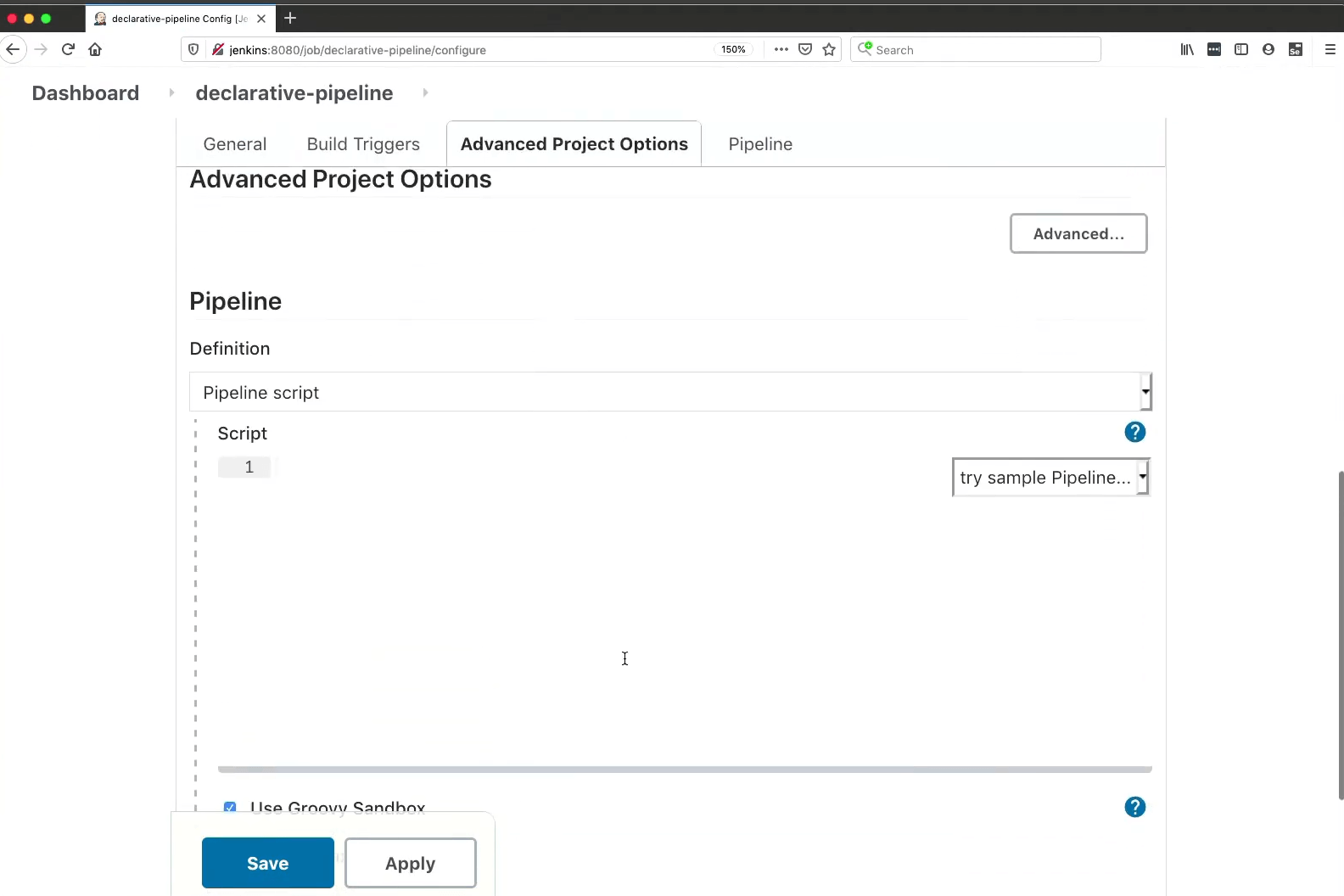
Pipeline as Code, introduced with Jenkins 2.0, modernized the platform significantly. Jenkinsfiles bring version control to your build definitions. The Groovy-based DSL is powerful, allowing complex logic that would be impossible in purely declarative formats. When your build process has intricate conditionals, dynamic stages, or complex error handling, Jenkinsfile can handle it.
The distributed architecture scales impressively. The controller-agent model lets you run builds across hundreds of machines. Agents can run on any platform, with any configuration. This flexibility is crucial for organizations with diverse technology stacks.
But with great power comes great complexity. A production Jenkins instance is a complex beast. Plugin management alone can consume significant time. The learning curve is steep, not just for pipeline creation but for administration, security, and optimization. The UI, despite improvements, still feels dated compared to modern alternatives.
Most telling: successful Jenkins implementations often have dedicated "Jenkins admins" or even teams. When your CI/CD platform requires specialized personnel, it's worth asking if the flexibility is worth the overhead.
Kobee simplifies enterprise CI/CD
Kobee approaches CI/CD from an enterprise perspective: what do large organizations actually need, and how can we provide it without complexity?
The Phases architecture is Kobee's answer to both plugins and actions. Phases are modular, model and parameter-driven containers that perform specific CI/CD actions. Unlike monolithic scripts, Phases are small, focused, and reusable. Unlike plugins, they're configured through Kobee's GUI without touching code.


For mainframe environments, Kobee's built-in functionality is particularly comprehensive. While Jenkins requires finding and evaluating mainframe plugins, Kobee provides certified Solution Phases for IBM z/OS, COBOL compilation, JCL execution, and integration with modern mainframe tools. Kobee also comes with a separate application, the Kobee Resource Configurator, where you can set and customize every detail of your mainframe configuration using an easy-to-use GUI. Again, no scripting required!

The platform handles both distributed and mainframe systems from a single control point. This is crucial for enterprises maintaining hybrid environments. A single pipeline can build Java microservices, compile mainframe programs, update a DB2 database on z/OS, and trigger a COBOL batch job. While this is also possible with Jenkins through various plugins, Kobee provides this capability natively without plugin assembly.
Customization doesn't require coding expertise. Phase parameters are exposed through the GUI, allowing teams to modify behavior without editing scripts. When you need something unique, custom Phases can be created using familiar tools like Ant, Maven, or Gradle, then reused across projects.
The enterprise focus extends to governance and compliance. Approval gates, audit trails, and integration with Active Directory and LDAP are built in, not bolted on. For regulated industries, this comprehensive approach to compliance is invaluable.
Learning curves reflect different design philosophies
The time it takes your team to become productive with each platform varies dramatically.
GitHub Actions has the gentlest learning curve, especially for teams already using GitHub.
If you understand YAML and GitHub's event model, you can create useful workflows quickly. The documentation is excellent, with templates for common scenarios. Most developers can create their first workflow without extensive training. Complexity comes when you need sophisticated workflows or custom actions, but for straightforward CI/CD, it's remarkably approachable.

Jenkins has a notoriously steep learning curve. Understanding the basic concepts (jobs, builds, workspaces) is just the beginning. Add Pipeline as Code, and you're learning Groovy. Add plugins, and you're learning each plugin's quirks. Add distributed builds, and you're learning Jenkins' agent architecture.
The community provides extensive documentation, but the sheer volume can be overwhelming. Many large organizations invest in formal Jenkins training or hire experienced Jenkins administrators.
Kobee sits between these extremes with an intuitive approach.
The Phases concept is more intuitive than managing plugins or writing Groovy scripts. The GUI-driven configuration means team members can modify pipelines without deep technical knowledge. For mainframe teams accustomed to complex SCM tools, Kobee actually simplifies their world. With optional support for IBM tools like DBB and Wazi Deploy, it seamlessly integrates with existing mainframe toolchains. The structured implementation process ensures teams get productive quickly.


Mainframe support reveals enterprise readiness
How each platform handles mainframe environments reveals much about its enterprise credentials.
GitHub Actions has limited native mainframe support. You could theoretically set up self-hosted runners on z/OS, but you'd be pioneering largely uncharted territory. The platform's cloud-native assumptions don't translate directly to mainframe realities. For organizations with significant mainframe investments, Actions would require substantial custom work.
Jenkins can support mainframes through plugins and custom scripts. Several plugins exist for mainframe tools, including IBM z/OS Connector and Zowe zDevOps plugins. Many organizations successfully use Jenkins for mainframe CI/CD, though it often requires assembling multiple plugins and writing custom scripts. The distributed architecture helps, as you can run agents on z/OS, but you'll need to invest time in configuration and maintenance.
Kobee has long-standing mainframe support as a core capability. Native support for COBOL, JCL, and other mainframe technologies isn't an afterthought; it's central to the platform. Integration with modern IBM tools like Wazi as a Service enables cloud-based mainframe development while Kobee handles production deployment.
For organizations modernizing their mainframes, Kobee provides a clear path: use Git for version control, IDZ or VS Code for editing, and modern CI/CD practices, all while working with mainframe code. It serves as a modern replacement for legacy SCM tools like ChangeMan or Panvalet, offering capabilities specifically designed for mainframe environments.
Pricing models show target audiences
The pricing structures reveal each platform's target market and value proposition.
GitHub Actions uses a consumption-based model that's free for public repositories and includes generous free tiers for private repositories. After the free allocation, you pay for compute minutes, with prices varying by runner type (Linux being cheapest, macOS most expensive).
For small teams and open-source projects, it's very cost-effective. Costs can escalate for large teams with extensive testing needs, but it remains competitive for organizations already paying for GitHub.

Jenkins is free as open-source software, which seems unbeatable until you factor in the true costs.
Infrastructure to run Jenkins. Personnel to maintain it. Time spent managing plugins. Downtime when updates break. Security audits for community plugins. CloudBees offers commercial support and enterprise features, with pricing ranging from $38,000 to $225,000 annually depending on needs. Suddenly "free" requires a different perspective.
Kobee's simple Enterprise license at €99.95/user/month (with a €25,000 annual minimum) may seem expensive until you consider the mainframe context.

Traditional mainframe SCM tools often carry substantial costs. One customer reported saving two-thirds on software maintenance costs after switching to Kobee. The pricing includes all functionality with transparent per-user pricing.
For mainframe shops, it can represent a cost reduction. For enterprises wanting comprehensive out-of-the-box functionality, it's competitive with assembling similar capabilities from Jenkins plugins or working around GitHub's limitations.
GitHub Actions vs Jenkins vs Kobee: Which should you choose?
The choice depends on your organization's specific needs, existing toolchain, and technical environment.
Choose GitHub Actions if:
- Your development is GitHub-centric and likely to remain so
- You need simple CI/CD that integrates seamlessly with pull requests
- Your workflows fit within GitHub's execution model
- You prefer SaaS solutions over self-hosted infrastructure
- You don't have mainframe or complex enterprise requirements
Get started with GitHub Actions by adding a workflow file to your repository.
Choose Jenkins if:
- You need ultimate flexibility and customization
- Your toolchain includes diverse or legacy tools requiring deep integration
- You have dedicated personnel to manage CI/CD infrastructure
- You're comfortable with complexity in exchange for power
- You need fine-grained control over every aspect of your pipelines
Download Jenkins and start building your custom CI/CD solution.
Choose Kobee if:
- You have mainframe systems requiring modern CI/CD practices
- You want enterprise-grade functionality without plugin complexity
- Your organization values built-in compliance and governance features
- You need to orchestrate complex toolchains across distributed and mainframe systems
- You prefer GUI-driven configuration over scripting
Ready to modernize your CI/CD? Let Kobee guide your enterprise from legacy to leading edge.
The CI/CD landscape offers clear choices. GitHub Actions for GitHub-native simplicity. Jenkins for ultimate flexibility. And Kobee for enterprises that need sophisticated capabilities without the complexity. Your choice depends on whether you prioritize integration, customization, or completeness.
For organizations with mainframe systems or complex enterprise requirements, the distinction becomes even clearer.
While GitHub Actions has limited mainframe capabilities and Jenkins can handle mainframes through various plugins, Kobee provides native, integrated mainframe support that doesn't require assembly or extensive configuration. It's not that the others can't handle mainframes, it's that Kobee was designed with mainframes as a first-class citizen.
Ready to see how an out-of-the-box enterprise CI/CD platform can transform your development pipeline? Contact Kobee for a personalized demonstration.
Frustrated by Jenkins overhead or GitHub Actions’ limitations?
Plugins, workarounds, and brittle YAML drain productivity. Kobee delivers enterprise CI/CD out of the box — reliable and mainframe-ready.
About the author
Hello, my name is René De Vleeschauwer.
Throughout my career, I have been actively engaged in developing enterprise software. For the past 18 years, I have led the development of Kobee, an open CI/CD and DevOps framework that has been highly regarded in regulated enterprises.
Do you have any questions? Just ask me!